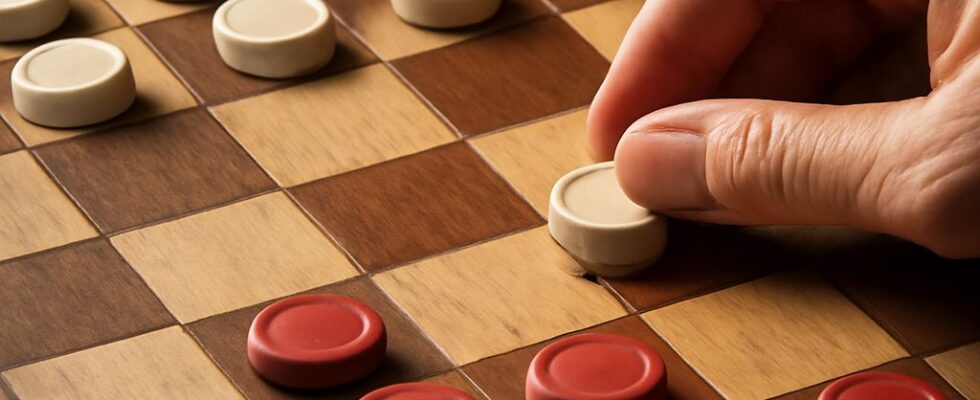
Crown a piece, recognize its backward moves, and finish every required jump with confidence. In American checkers, a king moves one square diagonally in either direction and can jump an adjacent enemy forward or backward. The checkers rules for a king also make capturing mandatory and end an uncrowned piece’s turn when it reaches the far row.
Checkers King Rules for Crowning
Before crowning, an ordinary piece moves and captures diagonally forward only. It becomes a king when it reaches the row farthest from its starting side. Stack a second piece on it or use your set’s king marker. Under the World Checkers/Draughts Federation rules, reaching that row completes the turn, whether the piece arrived by an ordinary move or a capture.
For the examples below, files run a through h from left to right and ranks 1 through 8 from bottom to top. Play is on the dark squares, with a1 dark. Your uncrowned piece moves toward rank 8. Assume every square not specifically occupied is empty.
On a quiet move, a piece on b7 can move diagonally to a8 and be crowned. It cannot then move again as a king on that turn. The rules of checkers give the opponent the next move.
For a capture, put your uncrowned piece on b6 and enemies on c7 and e7. Your piece jumps c7 to d8, captures c7, and is crowned. Although a king on d8 could otherwise jump backward over e7 to f6, the turn ends at d8. That backward jump must wait until your next turn, if it is still available.
Moving and Capturing as a King
Under these checkers rules, a king can make a quiet move one diagonal square forward or backward into an empty square. It cannot slide across several empty squares in one move. The American checkers king rules also allow a king to capture in either direction: jump over one adjacent enemy and land on the empty square immediately beyond it.
In this checkers king example, put your king on d4 and an enemy on e3. If f2 is empty, d4 to f2 captures the enemy on e3. This is a backward jump for a player moving toward rank 8. If f2 is occupied, that jump is unavailable. A king cannot jump a friendly piece or land on an occupied square.
The checkers capture rules apply to every piece: if any piece you control has a legal capture, you must capture rather than make a quiet move. You don’t have to use the king if another piece has a legal capture and you choose it instead. A king can be captured by an opposing ordinary piece or king when that opponent has a legal jump.
Follow a Chain and Choose a Route
For another checkers king move, put your king on d4 and enemies on c5, e5, and g5. All other squares are empty. Two first jumps are available:
- Jump d4–f6 forward over e5. From f6, you must turn backward and jump over g5 to h4. With no further jump, the sequence ends.
- Jump d4–b6 over c5. With no further capture from b6, that sequence ends after one jump.
The rules of checkers let you choose either available route; you aren’t required to choose the one that captures more pieces. Once you choose d4–f6, however, you cannot stop at f6 while the jump to h4 remains available. A king already crowned before the move can continue jumping after reaching the far row; the immediate stop for crowning applies to an uncrowned piece reaching it.
Under American checkers capture rules, each jump in a chain must take a different enemy, with an empty landing square beyond it. A blocked landing square, a friendly piece in the way, the edge of the board, or the absence of an adjacent enemy can stop a particular jump. Look in all four diagonal directions from the landing square before deciding the chain is finished.
Quick Check Before You Move
For American checkers, check every piece for a legal capture first. Choose an available route, then continue with the same piece while it can jump. Stop when no further jump is legal—or immediately when an uncrowned piece reaches its king row and is crowned. On its next turn, use the new king’s forward and backward options.